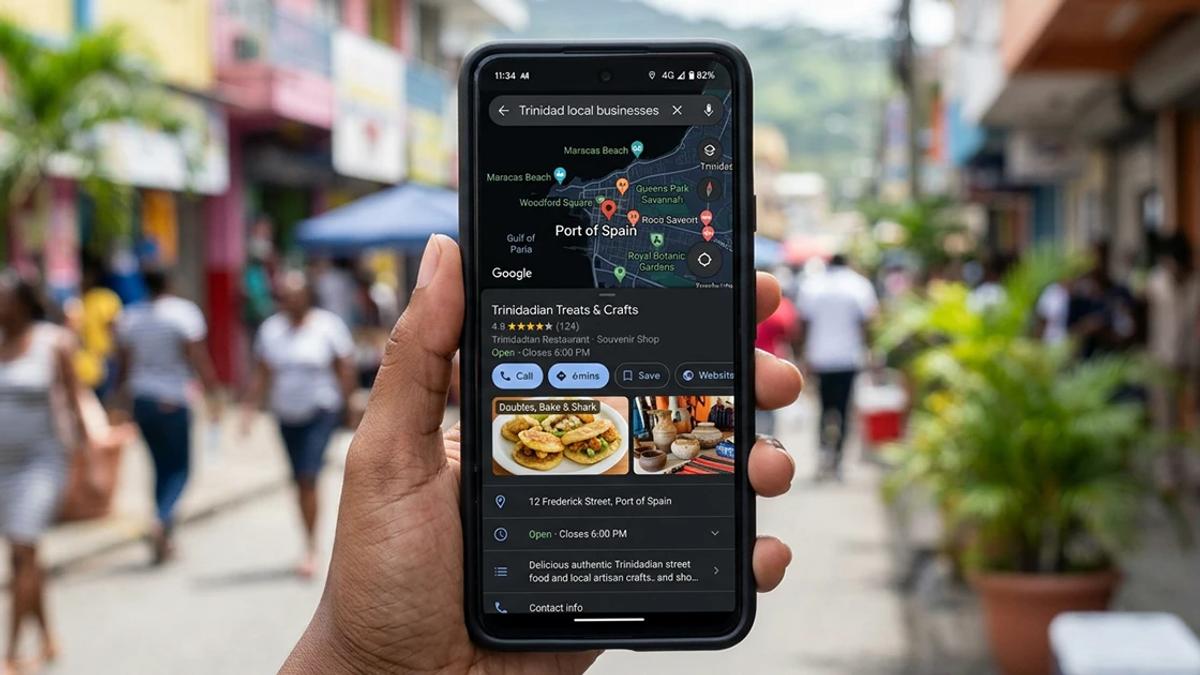
If you want your Trinidad business to show up when someone searches "near me," the single highest-return thing you can do is set up and optimize your Google Business Profile. It is the free listing with your name, map pin, hours, photos, and reviews, and it controls whether you appear in Google Maps and the local results at the top of search. Most businesses here have one that is half-finished or wrong. Get it right and you can rank in the local pack without paying for ads. This checklist walks through exactly what to fix, in order.
Why the Google Business Profile matters so much in Trinidad
Most local buying here starts with a Google search on a phone: "plumber near me," "doubles San Fernando," "accountant Port of Spain." Google answers those with a map and three local listings, called the local pack, before any normal website results. Those three spots get the bulk of the clicks and calls.
You do not get into the local pack with a website alone. You get there mainly through your Google Business Profile: how complete it is, how close you are to the searcher, and how strong your reviews and activity look. That is why this is the first move in any local SEO effort, ahead of almost everything else.
The Google Business Profile checklist
Work through these in order. Each one moves you up.
1. Claim and verify the listing
Search your business name on Google. If a listing already exists, claim it. If not, create one. Then complete verification (usually by postcard, phone, or video). An unverified profile cannot be fully edited and will not rank properly, so this comes first.
2. Get the name, address, and phone exactly right
Your business name, address, and phone number (often called NAP) must be correct and consistent everywhere online: the profile, your website, your Facebook, any directory. Do not stuff keywords into the name field, use your real business name. Inconsistent details across the web are one of the most common reasons local businesses fail to rank.
3. Pick the right primary category
Your primary category is one of the strongest ranking signals. Choose the most specific one that fits, "Mexican restaurant," not just "restaurant," "Electrician," not "Contractor." Add relevant secondary categories too, but the primary one matters most.
4. Fill in every field
Hours (including public holidays), services, service areas, website link, and a real description. A complete profile outranks a half-empty one. Treat blank fields as rankings you are giving away.
5. Add real photos, and keep adding them
Profiles with good, recent photos get more clicks and calls. Add your storefront, your team, your work, your products. Businesses that post photos regularly look active to Google and more trustworthy to customers. Stock images do not count, use real ones.
6. Build and answer reviews
Reviews are a major local ranking factor and the single biggest trust signal for a new customer. Ask happy customers to leave one, make it easy by sharing your review link, and reply to every review, good or bad, politely. A steady flow of recent reviews beats a pile of old ones.
7. Use Google Posts and the Q&A
Post updates, offers, and news directly to your profile, they show up in search. Seed and answer the Questions section with the things customers actually ask. Both signal an active, real business.
8. Link to a fast, local website
Your profile should link to a website that loads fast on mobile and mentions your town and service area naturally. Google cross-checks the two. A slow or vague website undercuts an otherwise strong profile, which is why the profile and the website build need to work together.
Storefront or service-area: set it up the right way
How you fill in your location depends on how you operate, and getting this wrong confuses both Google and customers.
If you have a physical place customers visit, a shop, a restaurant, a clinic, use your full street address and show it. Your map pin and proximity to the searcher then work in your favor.
If you go to the customer, a plumber, an electrician, a mobile mechanic, set yourself up as a service-area business: hide the street address if you work from home and list the towns and regions you cover instead. This tells Google where to show you without pinning you to one spot. Listing the specific areas you serve, by name, also helps you appear for searches in each of those places.
Either way, keep it honest. Padding your service areas with the whole country, or claiming a fake storefront, works against you. Google rewards accuracy here.
Common mistakes that quietly hurt your ranking
A few errors show up again and again with Trinidad businesses:
- Keyword-stuffing the business name. Against Google's rules and a suspension risk.
- Inconsistent NAP across the profile, website, and social pages.
- Wrong or missing hours, especially around public holidays, which frustrates customers and signals neglect.
- No reviews or ignored reviews. Silence reads as inactive.
- A profile that links to a slow or non-mobile website, undoing the good work.
Fixing these costs nothing but attention, and most businesses can move up just by cleaning them up.
How long until you see results?
Some changes, like correcting hours or categories, can affect what shows within days. Building review volume and climbing the local pack for competitive terms takes a few weeks to a few months of steady effort. Local SEO is a compounding game: consistent small actions, not a one-time fix.
If you are also weighing what a proper website costs alongside this, our guide to website pricing in Trinidad breaks down the numbers.
Frequently asked questions
Is Google Business Profile the same as Google My Business?
Yes. Google renamed "Google My Business" to "Google Business Profile." It is the same free listing that controls how your business appears in Google Search and Maps.
How do I rank higher on Google Maps in Trinidad?
Verify your profile, choose the most specific primary category, complete every field, add real photos regularly, and build a steady flow of genuine reviews you reply to. Make sure your name, address, and phone are identical everywhere, and link to a fast mobile website that mentions your area.
Does a Google Business Profile cost anything?
No. The profile itself is completely free to create, verify, and optimize. You only pay if you choose to run Google Ads, which is separate from the free local listing.
Do I still need a website if I have a Google Business Profile?
Yes. The profile gets you into the local pack, but customers click through to your website to judge credibility and to book or buy. The two work together: a strong profile plus a fast, local website ranks better than either alone.
The bottom line
Your Google Business Profile is the highest-return, lowest-cost local SEO move available to a Trinidad business. Claim and verify it, get your name, address, and category exactly right, fill in every field, add real photos, and build reviews you actually reply to. Then point it at a fast website. Do that consistently and you can earn a local pack spot, and the calls and customers that come with it, without spending a dollar on ads.
If you want a hand getting the website side right, see our SEO service or book a free strategy call and we will look at your setup with you.
Want the next one?
Get the latest news in technology, business tips and more.